
What makes a good roofing website?
A homeowner with a leaking roof needs to know three things quickly: whether you handle their problem, whether you serve their area, and how to reach you. Roofing website design should make those answers obvious before asking visitors to browse a gallery or read your company history.
Start with a clear statement of your main services and coverage area, a visible phone number, and one primary action such as “Request a roof inspection.” Use real project photography and straightforward descriptions of your process. If you offer emergency repairs, explain your actual availability rather than implying round-the-clock service you cannot deliver.
Build the homepage around the next step
Organize the homepage in the order a potential customer is likely to make a decision. A practical starting point is:
- Opening message: what roofing work you do and where you work.
- Contact options: a tap-to-call link and a request-an-estimate button.
- Services: short summaries linking to repair, replacement, inspection, or commercial roofing pages.
- Proof: recent projects, attributed customer feedback, and current credentials that can be verified.
- Process: what happens after an inquiry, from inspection to the written estimate.
- Service area and questions: help visitors check coverage and understand the next step.
For example, “Roof repairs and replacements in [your service area]” gives a visitor more useful information than “Quality you can trust.” Replace the placeholder with your real coverage area and support the promise with specific work examples.
Give each roofing service a useful page
Roof repair and full replacement involve different questions. Create separate pages for services you actually provide, such as roof leak repair, roof replacement, inspections, metal roofing, flat roofing, or commercial roofing. Avoid adding services just to attract search traffic.
A repair page can explain the problems you assess, how an inspection works, what information helps you prepare, and when a repair might require a wider evaluation. A replacement page can cover material choices, site preparation, cleanup, and how customers receive a scope of work. Explain warranty terms accurately and distinguish manufacturer coverage from workmanship coverage.
Link these pages from the main navigation and relevant project stories. Clear labels such as “Roof replacement” help customers find the right information. Our custom web development service can help turn this page structure into a working site.
Show roofing projects with context
A gallery becomes more useful when each project explains the type of property, the original issue, the work completed, and the roofing material used. Include before-and-after photos where you have permission to share them. Keep private customer details and precise residential addresses out of public examples unless the customer has approved their use.
Publish genuine reviews with appropriate attribution. Only display licensing, insurance, certifications, or manufacturer badges that apply to your business and are current. Do not use stock photos as evidence of completed work or invent project results. If you are starting out, explain your process and experience honestly while you build a project library.
Make mobile calls and estimate requests easy
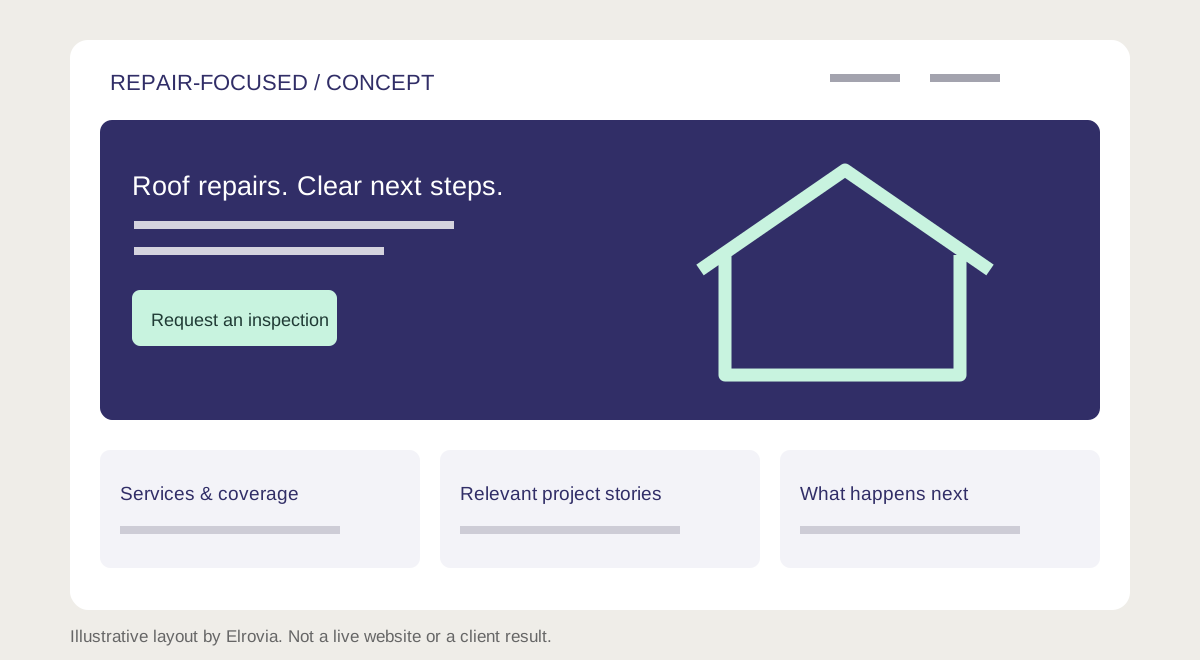
Check the site on a small screen with one hand. The phone number should open the dialer, buttons should be easy to tap, and navigation should not cover the content. Keep any fixed contact bar small enough that it does not hide the form or important information.
For an initial estimate request, ask for a name, a preferred contact method, the service area or postcode, and a short description of the problem. Make photo uploads optional. Use visible field labels, clear validation messages, and a success message that explains what happens next. Only promise a response time your team can meet.
Compress project images, reserve their layout space, and defer below-the-fold images. Avoid an autoplay video that delays access to the contact details. Test the form from submission through delivery to the person handling inquiries, including an invalid email address and a failed submission.
Plan roofing website content for search
Give each page a distinct, descriptive title and a main heading that matches its purpose. Write naturally about the actual service, relevant materials, and the area you cover. Use descriptive internal links so both visitors and search engines can discover the related pages. Google’s SEO Starter Guide explains these fundamentals.
Where a location needs its own page, provide information specific to the work you do there: real project examples, coverage details, and useful customer questions. Repeating the same page with a different city name gives visitors little additional value. Keep your business name and contact details accurate across the website and your business listings.
Include indexable pages in the XML sitemap, use a consistent canonical URL, and preserve redirects when replacing existing URLs. Search-friendly design helps make content accessible and understandable; it does not guarantee a Google position. After launch, use Search Console to review indexing, search queries, and clicks.
What affects roofing website design cost?
The scope matters more than the number of visual effects. A small site with supplied copy and photographs is a different project from a custom build with multiple service areas, original content, project case studies, CRM integration, and migration from an existing website.
Ask for a proposal that separates discovery, content, design, development, integrations, and ongoing maintenance. Confirm who owns the domain and website, who handles updates, what hosting includes, and whether redirects and analytics setup are covered. Compare proposals against the same page list and functionality instead of comparing headline prices alone.
If you already have a site, review which pages receive inquiries before starting a website redesign. Preserve useful content and working URLs, and prioritize problems that prevent customers from finding information or contacting you.
Roofing website launch checklist
- Confirm all services, coverage areas, contact details, and credentials are accurate.
- Check navigation, phone links, and forms on mobile and desktop.
- Use real project photos with descriptive alternative text where meaningful.
- Give each important page a unique title, heading, and clear purpose.
- Check internal links, canonical URLs, redirects, and the sitemap.
- Test keyboard navigation, visible focus, form labels, and readable contrast.
- Verify inquiry delivery and track successful submissions separately from button clicks.
- Review inquiry quality with your team after launch, alongside search traffic.
Roofing website design FAQs
How many pages does a roofing website need?
Start with a homepage, pages for your main services, an about page, project examples, service-area information, and a contact page. Add pages when you have a distinct customer question or service to explain, rather than targeting an arbitrary page count.
Can I use a template for a roofing company website?
Yes. A template can work if it supports clear navigation, accessible forms, fast-loading images, and your actual content. Custom design is useful when your branding, service structure, or integrations need more flexibility.
Will a new website rank first on Google?
No designer can guarantee that outcome. A useful, technically accessible website is a foundation. Search visibility also depends on competition, relevance, and other signals beyond the design itself.
Should I redesign my existing roofing website?
Consider a redesign if visitors struggle to use it on mobile, services are hard to find, or estimate requests fail. First check analytics, customer feedback, and form delivery so the work addresses a demonstrated problem.